1. The very basics: computers, programs, and programming as a whole
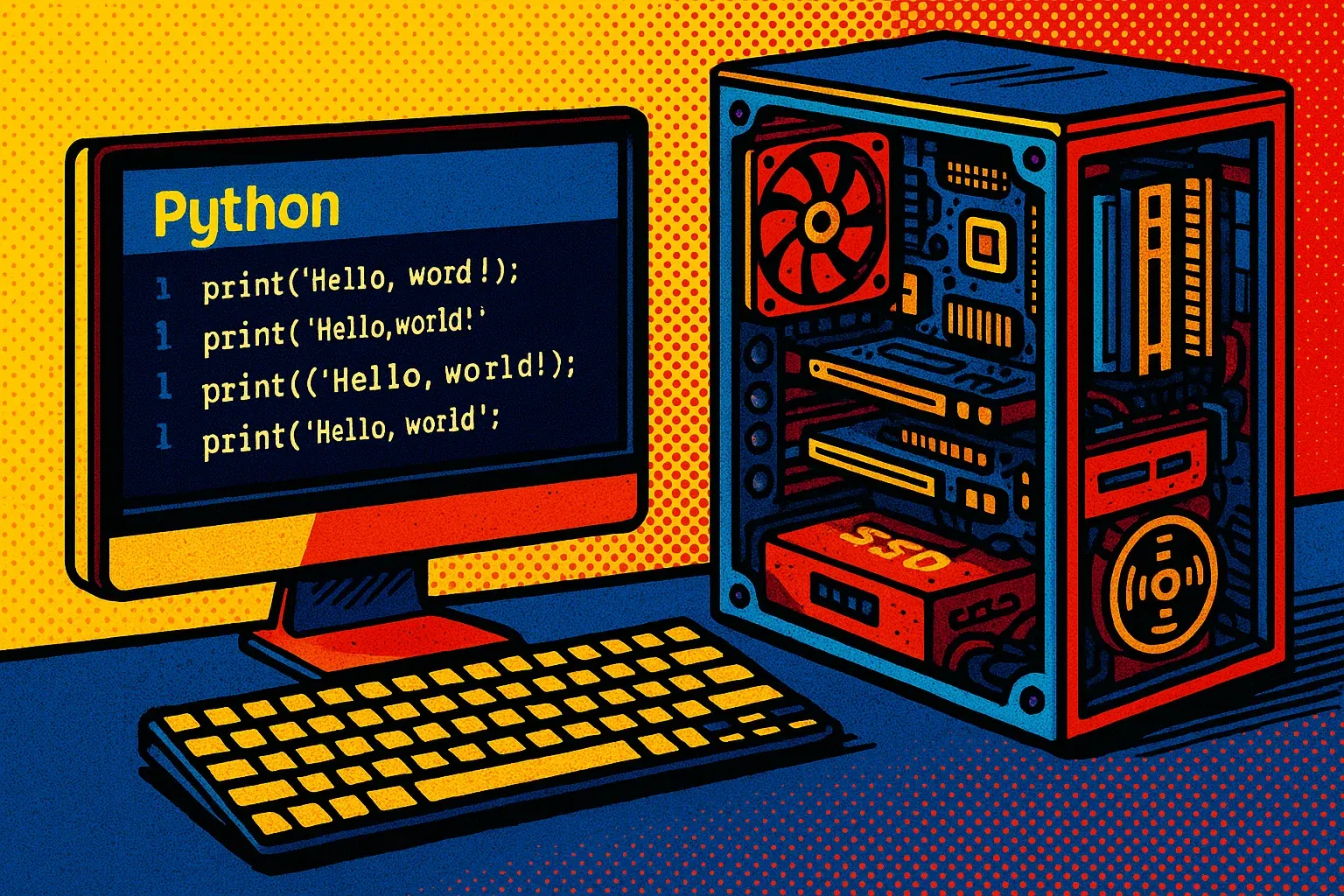
This chapter explores what computers, programs, and programming languages are, and why Python is an excellent choice as a first language.
1.1 What is a computer?
A computer is a device that executes instructions (programs) to process data.
Take a look around you: a smartphone, a tablet, a laptop, a smartwatch, a microwave oven—all of these are examples of devices that run programs. But do all of them work in the same way as a general-purpose computer?
A general-purpose computer can run many different programs and allows users to install, create, and modify them. For example, the computer built into a microwave oven is designed to perform a limited set of tasks. A laptop, by contrast, is a general-purpose computer that can run many different programs.
1.2 Computer components

To better understand where programs are stored and executed, let’s look at the typical components of a computer.
External components:
-
monitor (display),
-
keyboard,
-
mouse,
-
a power source, such as a power supply or a laptop battery.
Internal components:
-
processor (CPU) — the “brain” that performs calculations;
-
random access memory (RAM) — temporary storage for data;
-
storage device (HDD or SSD) — for storing files and programs;
-
motherboard — connects all components together;
-
video card — processes images;
-
additional modules: Bluetooth, Wi-Fi, optical drive, and so on.
Some computers combine most of these components into a single case—for example, an all-in-one computer.
What are RAM, HDD, SSD, and CPU—in simple terms
-
RAM (Random Access Memory) is fast, temporary memory. When the power is turned off, all data in RAM is lost.
-
HDD (Hard Disk Drive) is a slower but cheaper storage device based on magnetic disks. Data is preserved even without power.
-
SSD (Solid State Drive) is fast, reliable, and silent. It also keeps data without power and is much faster than an HDD.
-
CPU (Central Processing Unit) is the main computing component of a computer.
💡 If one computer takes much longer to start than another, the type of storage may be one reason: computers with SSDs usually start faster than comparable computers with HDDs.
From a program’s point of view: how to group the components
For programming, it is useful to divide the parts of a computer like this:
-
input: keyboard, mouse, touchscreen;
-
output: display, sound, printer;
-
memory for running programs: RAM;
-
storage for keeping data: HDD or SSD;
-
computing unit: processor (CPU).
1.3 What is a program?
A program is a set of instructions for a computer. When we define a sequence of actions that a computer can perform, we are creating a program.
For example, imagine that I want to create a program that:
-
asks for your name;
-
asks for your date of birth;
-
displays a message on the screen like:
Hello, <name>. I know that you are <X> years old.where <name> is what you entered, and <X> is the calculated age based on the date of birth.
Is this already a program? Yes—even though it is still described in words, it already defines the sequence of actions the program should perform. The next step is to express these instructions as code written in a programming language.
1.4 What is a programming language?
A programming language is a system for writing instructions in a form that a computer can process. The first programming languages were quite complex and demanding. Even a simple program required many detailed instructions, and small mistakes were easy to make.
Over time, as software evolved, it became clear that programmers needed languages that were easier to use and closer to human language. This is how the evolution of programming languages began.
1.5 Python — a modern language to start with
In 1991, Dutch programmer Guido van Rossum created the Python programming language. Development began in the late 1980s, and the first public version was released in 1991.
Python is a general-purpose modern language with a simple and clear syntax that is easy to read and write. Its readable syntax is one of the reasons Python became widely used around the world.
Where Python is used
Being a general-purpose language means that Python is used in many different areas:
-
in education (especially as a first language for beginners),
-
in web development,
-
for writing scripts (automating routine tasks),
-
in science — from statistics to machine learning,
-
in robotics and game development.
Why Python — in this book
We chose Python not because it is the only programming language, but because it is the best option for getting started.
Python is:
-
simple for a first introduction to code;
-
convenient and easy to understand for learning;
-
widely used in the real world — from websites to artificial intelligence.
All examples in this book are written in Python, and Python is the language we will use to learn programming.
In the modern world, there are many programming languages, each with its own features and areas of use:
-
Java / Kotlin — commonly used for Android applications;
-
Swift — commonly used for applications on Apple platforms;
-
JavaScript / TypeScript — widely used in web development;
-
C++ / Rust — used in systems programming, performance-sensitive applications, games, and embedded development.
But regardless of the language, the fundamentals of programming remain the same: variables, conditions, loops, functions, and classes.
👉 Once you understand them in Python, learning another programming language will usually be easier. The core ideas remain useful, even though the syntax may differ.
About Python versions
We will work with Python 3, the third major branch of the language, which appeared in 2008. All examples in this book are compatible with Python version 3.10 or newer (written as 3.10+).
Although development began in the late 1980s, Python has continued to evolve. Every programming language has versions. For example, Python 2.7 was supported until 2020, but modern Python programs are written for Python 3.
⚠️ Pay attention to the Python version when reading examples on the internet. Older examples may be written for Python 2 and may no longer work.
1.6 How to write a program?

We already know that a program is a set of instructions for a computer. To execute these instructions, we write them as code in a file and run that file using the appropriate programming tools.
Code files: what is a file extension
Each programming language has its own file formats. The file extension helps the computer identify the type of file and determine how it should be handled.
For example:
-
*.exe— a program for Windows, -
*.apk— a program for Android, -
*.py— a program written in Python.
*.py means any file name with the .py extension. For example, a file named hello_world.py is a text file that contains Python code.
How to Create a Python File
Here are the simplest ways:
-
Create a regular text file (for example,
hello.txt) and change its extension to.py. -
Use a code editor that creates the correct file automatically.
⚠️ Tip: Sometimes file extensions are hidden by the system. Look up how to enable showing file extensions — this depends on whether you are using Windows, macOS, or Linux.
Code editor or IDE
To write programs comfortably, it is better to use specialized tools — code editors or an IDE (Integrated Development Environment).
An IDE helps you:
-
highlight syntax;
-
show errors;
-
run and stop code;
-
inspect variables during execution (debugging);
-
format code.
Popular editors for Python
-
PyCharm — a powerful IDE created specifically for Python.
-
Visual Studio Code (VS Code) — supports many languages, is highly configurable, and requires installing a Python extension.
-
Sublime Text — a lightweight and fast editor that can be extended with plugins.
Even a simple text editor (such as Notepad) can be used — but specialized editors are much more convenient.
What You Need to Run a Program
Just creating a file is not enough. You also need Python itself installed — that is, a program that can read files with the .py extension and execute their code.
When you install Python, you are actually installing a whole set of tools:
-
the interpreter — the program that executes instructions from .py files;
-
the standard library — a large collection of useful modules included with Python;
-
pip — a tool for installing additional Python libraries.
So, to run Python programs, you need to:
-
install Python;
-
have a code editor (any one);
-
create a .py file with code;
-
run the file using Python.
What if you don’t want to install anything?
In this book (up to and including the topic of functions), you do not need to install anything. It is enough to have a computer with internet access — most examples can be run in online editors.
If you want to save the code, simply copy it from the book into a .py file or use a code editor.
👉 Installing Python and a code editor so that you can run programs on your own computer is called setting up a local development environment. Because installation steps differ between operating systems and change over time, use current instructions for your operating system when you decide to set up Python locally.
Online tools for running Python code
Try one of these online tools:
-
https://www.w3schools.com/python/trypython.asp?filename=demo_default (as part of https://www.w3schools.com/python/)
-
https://www.programiz.com/python-programming/online-compiler/
Another option is Google Colab (https://colab.research.google.com/) , a browser-based notebook environment that lets you write and run Python code in separate cells. It is especially popular for data analysis and machine learning.
💡 You can also search for other online IDEs — choose the one that works best for you.
1.7 Why program?
This is a very reasonable question. Why program at all?
I would highlight a few main reasons:
-
Monotonous and repetitive tasks are better delegated to a computer.
During that time, a person can focus on something more creative or varied. -
A computer follows its instructions consistently.
If the result is incorrect, the problem is usually in the program’s instructions. Hardware failures are also possible, but they are separate from mistakes in the program’s logic. -
A computer calculates faster, processes more data, and works more reliably.
-
It does not need rest — it does not get tired and can work around the clock.
-
It can perform many tasks and process large amounts of data.
-
Someone has to manage all of this.
We need people who write programs, configure systems, find and fix bugs, and improve processes. This is where the programmer (or someone close to the programming field) comes to the forefront.
So, programming is a tool for automating, speeding up, and improving various processes. The goal is to hand routine tasks over to the computer and focus on something more important or interesting.
Programming offers great opportunities — but to use them, certain skills are required. That is exactly what we will talk about in the next chapter.
1.8 Independent practice
Try to answer these questions — they will help you better understand the material from this chapter.
About computers:
-
What is a computer? Which devices can be considered computers?
-
Can a microwave oven or a smartphone be called a computer? Why or why not?
-
What are the main components of a computer?
About memory and storage:
-
What is the difference between random access memory (RAM) and permanent storage (SSD or HDD)?
-
In which type of memory are programs stored on a computer?
-
In which type of memory are programs executed?
About programs and languages:
-
What is a program? How can you describe it in simple words?
-
What is a programming language?
-
What file extension do Python programs have?
About Python:
-
Why is Python considered a good choice for beginners?
-
Which version of Python is recommended to use?
For the curious
This concludes the main part of the chapter. The material below is not required for the chapters that follow: you can move on to the next chapter and return to this section later. However, if you are curious about what happens after you run a program, how programming languages differ, and how code is eventually transformed into instructions for the processor, keep reading.
1.9 For the curious: how a computer executes code
A processor cannot directly execute code written in a programming language. The code must first be converted into machine instructions. Let us see how this works using C and C++ as examples.
One of the best-known programming languages is C, which was created in the 1970s. C++ was later developed from C and added many new capabilities. Both languages remain popular today because they:
-
are very fast, as programs written in them are compiled into machine code—a set of instructions that the processor executes directly;
-
provide flexible control over memory—the programmer determines how and when memory is allocated and released;
-
can be used to write software for microchips, device drivers, robots, and other systems that require full control over the hardware.
What is compilation?
Compilation is the process of converting code written by a programmer into machine code that the computer can execute.
What is machine code?
Machine code is the lowest level of code—the language that the computer “speaks.” It is difficult for people to read, but these are the instructions that a computer executes directly, without any additional translators.
Here is an example of machine code:
10110000 01100001Ultimately, then, the processor executes machine code. However, programmers do not need to write long sequences of zeros and ones themselves. Instead, they use programming languages that operate at different levels. Let us look at how these languages differ.
1.10 For the curious: low-level and high-level languages
To better understand the difference between low-level and high-level programming languages, imagine the following situation:
You are a parent living in an apartment on the fifth floor, and you ask your son to go outside and play with a ball at the playground. In other words, you are giving him instructions—just as a programmer gives instructions to a computer.
In a lower-level language, the instructions would be very detailed:
Take the ball → take the keys → open the door → lock the door → call the elevator → wait for the elevator → enter the elevator → press the button for the first floor → exit the elevator → open the entrance door → close it → walk between the buildings → reach the playground.
This is a long list of actions, but each one is extremely precise. You control every step.
In a higher-level language, the same instructions would be much simpler:
Take the ball → close the door → use the elevator → go to the playground.
These instructions are more abstract. There are fewer of them, but each one includes more actions “under the hood.”
What does this mean?
High-level programming languages allow you to:
-
write less code;
-
avoid thinking about every small detail;
-
focus on the main logic.
This is convenient and reduces the likelihood of errors—because fewer instructions mean fewer places where something can go wrong.
This is possible because high-level instructions already have many smaller steps built into them. For example, the instruction “use the elevator” may automatically include calling the elevator, pressing the correct button, and getting out on the right floor.
But it is not quite that simple…
High-level languages do not always provide complete control. Imagine that it is very important to you that your son locks the door with the key rather than simply pulling it closed. However, the instruction “close the door” may not let you choose how the door should be closed. If the instruction does not allow you to specify this detail, you cannot change its behavior.
Or imagine that you want him to take the shortest route between the buildings rather than follow a longer path. However, the instruction “go to the playground” may automatically choose the longer route because it determines for itself how to complete the task.
In the same way, a high-level language may hide certain capabilities and prevent the programmer from controlling them directly. To gain that control, you sometimes need to use lower-level features—and in some cases, the required level of control may not be available at all.
Summary
Lower-level languages provide more direct control but require greater attention to technical details.
High-level languages hide many of these details and allow programmers to focus more on the logic of the program.
Each has its own advantages, depending on the task.
Now let us see what languages at different levels look like in real programming.
1.11 For the curious: the abstraction-level scale
Ultimately, the processor executes machine instructions rather than Python or C++ commands. Programming languages can therefore be roughly arranged according to how close they are to machine code or to commands that humans can easily understand. This gives us the following scale of abstraction levels:
-
Machine code consists of instructions made up of zeros and ones that the processor executes. Example:
10110000 01100001 -
Assembly language is a symbolic representation of machine code that remains very close to the hardware. Example:
MOV AL, 97 -
Languages closer to the low level, such as C, give programmers direct control over memory and hardware.
-
High-level languages, such as Python, Java, and JavaScript, abstract away many details of how the computer works, making programming simpler and easier to understand.
This scale can also be viewed as part of the evolution of programming languages. At first, programs were written in machine code. Assembly language appeared later as an attempt to make machine code somewhat easier for people to understand: commands replaced sequences of numbers. Lower-level programming languages came next, followed by high-level languages, which made software development much easier.
However, some tasks—such as programming microcontrollers—require precise control over memory. Lower-level languages such as C are therefore more commonly used for these tasks.
The higher the level of a language, the more technical details it hides from the programmer. This makes it possible to write clearer code and focus more on the program’s logic. Languages closer to the low level, by contrast, provide more direct control over memory and hardware.
👉 Note: The division into levels is not absolute. Some languages, such as C++, provide both low-level capabilities and high-level abstractions.
1.12 For the curious: compilation and interpretation
In Section 1.9, we saw that programs written in C and C++ are usually compiled: before the program is run, the code written by the programmer is converted into machine code. However, compilation is not the only way to execute a program.
Python works differently: its code is run using an interpreter. This means that a programmer can usually modify a file and immediately run it again without manually performing a separate compilation step.
👉 Note: In reality, Python does not execute code strictly “line by line.” It first converts the code into an intermediate form called bytecode, which is then executed by a special program—the Python interpreter. For now, however, the important point is the general idea: the interpreter runs the program without requiring the programmer to compile it into machine code beforehand.
Let us compare the two processes:
-
In Python: change the code → save it → run it → see the result immediately.
-
In C++: change the code → compile it, converting it into machine code → run it → see the result.
What about speed?
Programs compiled into machine code usually run faster than ordinary Python programs. This is why C and C++ are often used when performance or direct control over hardware is especially important.
However, execution speed is not the only consideration. Python allows programmers to write, test, and modify programs more quickly. In addition, many popular Python libraries perform complex calculations using optimized code written in C or C++.
For example, a programmer may call a Python function to process an image while fast code written in another language performs most of the work “under the hood.”
There is therefore no single programming language that is best for every task. Lower-level languages provide more control, while high-level languages make it easier to create clear programs quickly. We will use Python for learning because it allows us to focus on the fundamentals of programming without immediately becoming immersed in the technical details of how a computer works.